Android Auto
🤖 Androidby Google LLC
Control maps, media and messaging, with the Google Assistant while you drive
Auto & Vehicles
4.1 (5.9M ratings)
Free Est. Downloads
10.0B
Est. Revenue
N/A
Last Updated
Mar 26, 2026
Version
N/A
About Android Auto
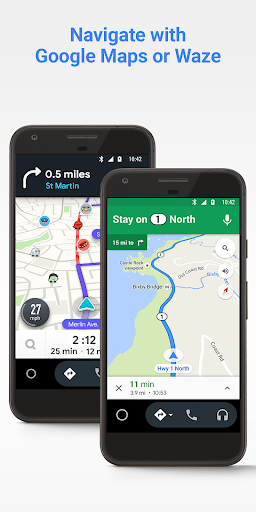
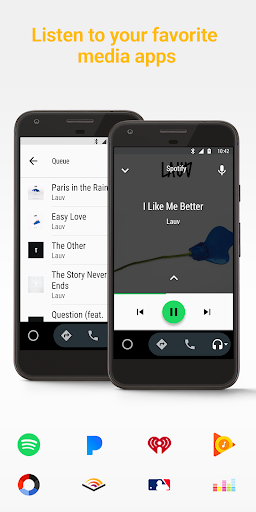
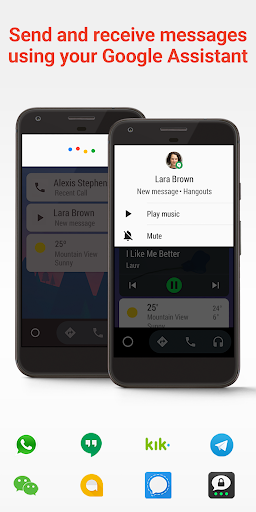
Android Auto is your smart driving companion that helps you stay focused, connected, and entertained with the Google Assistant. With a simplified interface, large buttons, and powerful voice actions, Android Auto is designed to make it easier to use apps that you love from your phone while you’re on the road.<br><br><br>Just say “Ok Google” to...<br>• Route to your next destination using Google Maps or Waze with real-time GPS navigation and traffic alerts.<br>• Get updates on your route, ETA, and hazards in real-time.<br>• Have the Google Assistant check your calendar for you so you know where you need to be.<br>• Set reminders, get updates on the news, and check last night’s score.<br>• Avoid distractions while driving by setting a custom do not disturb message while driving.<br>• Make calls using Google Assistant and answer incoming calls with just a tap.<br>• Access your contacts folder and send and receive messages with the Google Assistant using SMS, Hangouts, WhatsApp, Skype, Telegram, WeChat, Kik, Google Allo, and many more messaging apps.<br>• Manage your infotainment system like never before. Listen to your favorite media apps including Spotify, Pandora, iHeartRadio, Google Play Music, Amazon Music, SiriusXM, TIDAL - High Fidelity Music Streaming, Napster Music, and Deezer. Many more music, radio, news, sports news, audiobook, and podcast apps are also supported.<br><br>The number of compatible apps is always growing! For a full list of compatible apps, go to http://g.co/androidauto<br><br>To use Android Auto, you’ll need a phone running Android 6.0 or higher and an active data connection.<br>Over 400 car models now support Android Auto! To find out if your car display is compatible and how to enable it, check your owner’s manual or contact your car’s manufacturer. Once enabled, use a high quality USB cable to connect your phone to your car, then launch Android Auto to get going!<br>Learn more about Android Auto and compatible cars at http://android.com/auto<br>For support: http://support.google.com/androidauto<br>Get help from our community: https://productforums.google.com/forum/#!forum/android-auto
Screenshots


Scroll to see more screenshots
Ranking History
Performance Trends
Collecting performance data...
Recent Reviews
Collecting reviews...
SDK Intelligence
Analyzing SDK usage...
Top Competitors



App Details
- Size
- N/A
- Requires
- 9
- Content Rating
- Everyone
- Release Date
- Mar 19, 2015
Version History
Collecting version history...
Want More Insights?
Get full access to downloads, revenue, keywords, and competitor data.
Start Free TrialNo credit card required