
LG CreateBoard Share
🤖 AndroidLG CreateBoard Share is a multi-screen interaction software.
Tools
3.4 (159 ratings)
Free Est. Downloads
100.0K
Est. Revenue
N/A
Last Updated
Aug 15, 2025
Version
5.12.0.4173
About LG CreateBoard Share
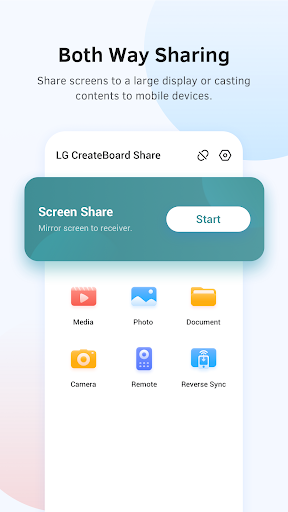
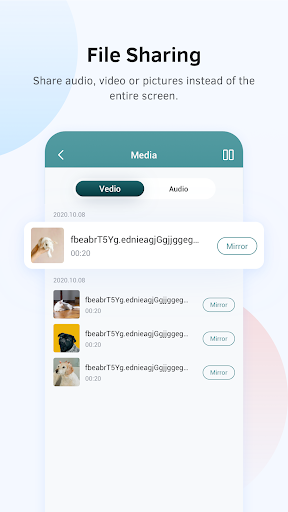
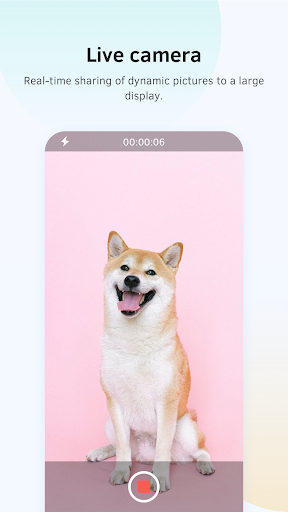
LG CreateBoard Share is an application that enables screen sharing between smart devices and LG CreateBoard devices.<br><br>LG CreateBoard Share - Connect Wirelessly, Share Bigger!<br>Wirelessly connect your smart device to the LG CreateBoard to share and control content.<br>Enhance collaboration and communication with various features such as simultaneous screen sharing, photo/video transfer, remote control, and camera utilization.<br>* This app is only compatible with and operates on LG CreateBoard devices.<br><br>Key Features:<br>Screen Sharing<br>- Supports iOS/Windows/Android/Mac/Chrome devices<br>- Supports AirPlay for Apple devices<br>- Supports Miracast for Android/Windows devices<br>- Supports Chromecast for Chrome OS/Chrome browser/Android<br><br>Photo/Video Sharing<br>- Share videos, audio, photos, and documents from your phone to the touch panel.<br>- Control photos/videos/audio/slides from both your phone and the CreateBoard screen.<br><br>Remote Control<br>- Use your phone as a remote control for the touch panel.<br><br>Remote Camera<br>- Use your phone's camera to display its view on the screen.<br><br>Screen Broadcast<br>- Duplicate the CreateBoard screen to another CreateBoard.<br><br>Device Management<br>- Enable efficient device management with features like administrator mode, share invitations, file sharing, and disconnection.
Screenshots

Scroll to see more screenshots
Ranking History
Performance Trends
Collecting performance data...
Recent Reviews
Collecting reviews...
SDK Intelligence
Analyzing SDK usage...
Top Competitors


App Details
- Size
- N/A
- Requires
- 7.0
- Content Rating
- Teen
- Release Date
- Jan 12, 2023
Version History
v5.12.0.4173 Latest
Aug 15, 2025
1. Discover and connect to receiver via Bluetooth.<br> 2. Supports up to 50 sender devices in desktop sync.<br> 3. Compatible with Android 16.<br> 4. Improved performance and interaction for smoother use.
Want More Insights?
Get full access to downloads, revenue, keywords, and competitor data.
Start Free TrialNo credit card required