
Mobile Assistant
🤖 AndroidMobile Assistant transfers data from an old phone to your new Motorola phone
Tools
3.7 (606 ratings)
Free Est. Downloads
100.0K
Est. Revenue
N/A
Last Updated
Dec 9, 2025
Version
4.1.0.9
About Mobile Assistant
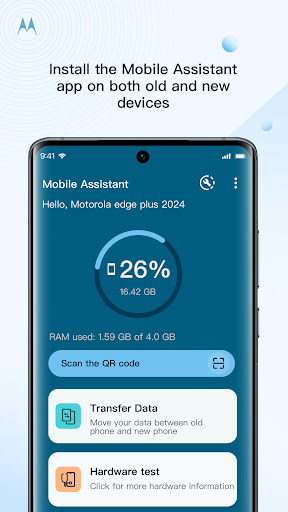
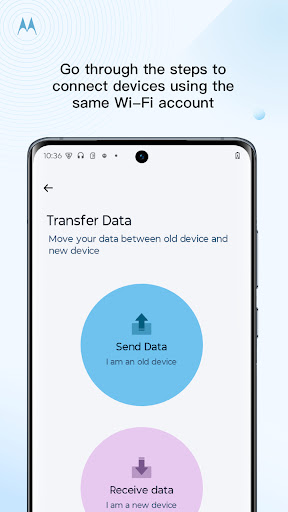
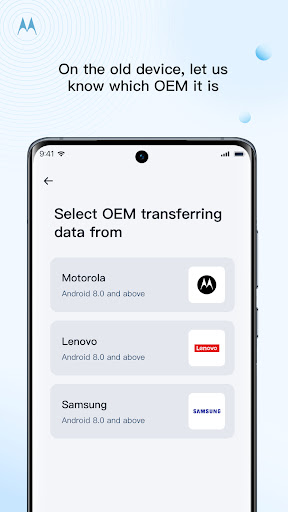
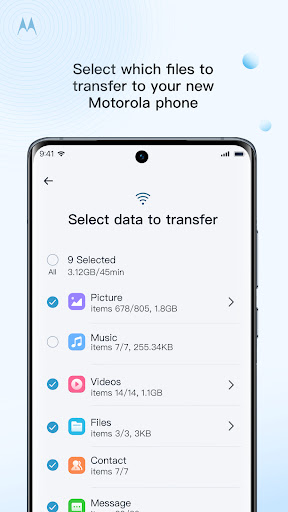
Key Benefits <br><br>Introducing the simple solution to transfer your personal files from your old Motorola, Lenovo, or Samsung to your new Motorola phone. <br><br> <br><br>Using the Mobile Assistant app, connect your old phone and new phone over wi-fi, and select the types of files you need to transfer. Select local photos, videos, music, call logs, SMS, and contacts. <br><br> <br><br>Which models are supported? <br><br>Motorola and Lenovo with Android 8 and later <br><br>Other models: Samsung with Android 8 and later <br><br> <br><br>Device to Device support only <br><br>Cloud storage is not included in data transfer <br><br> <br><br>Steps to connect: <br><br>1. Install the Mobile Assistant app on both phones and make sure they are both connected to the same wi-fi account <br><br>2. Make sure to set the permissions for the Mobile Assistant to access your files when prompted <br><br>3. Starting with your new device, launch the Data Transfer feature inside the app, and select the "Receive Data" option for a new device <br><br>4. On the old device, launch the Data Transfer feature and select the "Send Data" option and which OEM the old phone is. <br><br>5. The new device will search for the old device, once the old device icon pops up, tap it and the connection process
Screenshots

Scroll to see more screenshots
Ranking History
Performance Trends
Collecting performance data...
Recent Reviews
Collecting reviews...
SDK Intelligence
Analyzing SDK usage...
Top Competitors



App Details
- Size
- N/A
- Requires
- 8.0
- Content Rating
- Everyone
- Release Date
- Feb 27, 2025
Version History
v4.1.0.9 Latest
Dec 9, 2025
Want More Insights?
Get full access to downloads, revenue, keywords, and competitor data.
Start Free TrialNo credit card required