Smart Tutor for SAMSUNG Mobile
🤖 Androidby Samsung Electronics Co., Ltd.
Smart Tutor is an easy, quick and safe means of consulting for Samsung devices
Tools
4.5 (73.7K ratings)
Free Est. Downloads
100.0M
Est. Revenue
N/A
Last Updated
Mar 19, 2026
Version
1.5 (build 434)
About Smart Tutor for SAMSUNG Mobile
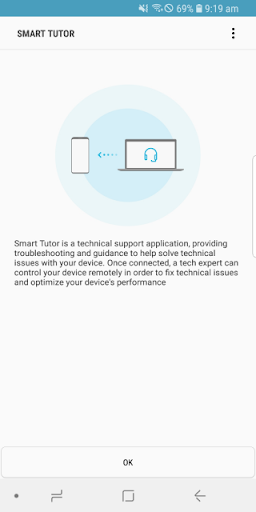
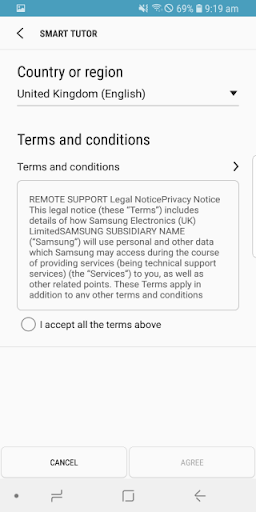
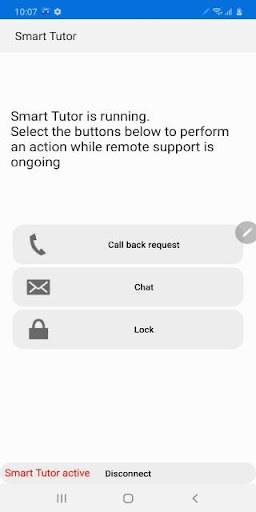
Description<br><br>Smart Tutor is an easy, quick and safe means of consulting for Android™ smart phone and tablet series. It can be used to diagnose your device remotely in order to optimize device performance and give functional advice. <br><br>Diagnoses can be requested for the following:<br> • Menu and feature inquiries<br> • New features advice<br> • Display settings and errors<br> • S/W upgrade and app update-related inquiries<br> • Device status diagnosis<br><br>How to get started<br>1. Download the "Smart Tutor" from Google play store and install on our Android device.<br>2. Make a phone call to the SAMSUNG Contact center. After agreeing "Terms and Conditions",<br> the phone number of contact center will be displayed.(Because it is depending on country)<br>3. Enter the 6 digits connection code given by a tech expert.<br>4. Once connected, a tech expert will diagnose your mobile.<br>5. If you want to terminate "Smart Tutor", please tap "Disconnect" menu.<br><br>Benefit<br> • Safety & Reliable<br> Don't worry about exposing our private information."Smart Tutor" restricts a tech expert <br> from accessing applications with customer's private information such as Gallery, Message, <br> e-mail and other throughout special features.<br> • Convenient & Easy<br> Provide remote support from our Android device quickly and easily if we can use 3G/4G or Wi-Fi.<br> • Features<br> Screen Share / Chat / Screen Lock / Application Lock<br><br>Requirement & Note<br>1. "Smart Tutor" works with Android OS(Above Android 6)<br>2. "Google Experience Device" is not supported such as "Galaxy Nexus"<br>3. Connection in 3G/4G Network will be chargeable according to your network data fee agreement with <br> your operator/Telecom. Before the connection, ensure to check Wi-Fi availability for free support
Screenshots
Scroll to see more screenshots
Ranking History
Performance Trends
Collecting performance data...
Recent Reviews
Collecting reviews...
SDK Intelligence
Analyzing SDK usage...
Top Competitors



App Details
- Size
- N/A
- Requires
- 4.3
- Content Rating
- Everyone
- Release Date
- Jan 6, 2015
Version History
v1.5 (build 434) Latest
Mar 19, 2026
Want More Insights?
Get full access to downloads, revenue, keywords, and competitor data.
Start Free TrialNo credit card required