
The Decision: One Choice
iOSOne choice. No return.
Lifestyle
0.0 (0 ratings)
Free Est. Downloads
N/A
Est. Revenue
N/A
Last Updated
Aug 1, 2026
Version
1.0.0
About The Decision: One Choice
This is a minimalist interactive quest about choice—without the possibility of changing your mind.
Each scene is a moment of decision.
Every tap is a point of no return.
The app is built on a simple yet powerful idea: in real life, we rarely have the option to "press cancel." There are no confirmations, no back button, no "Are you sure?" dialog boxes. There is only choice—and its consequences.
Main Screen
The interface is extremely clean.
White or muted background. Few objects, directions, or abstract shapes. No hints, explanations, or clear goals.
The user selects one element—with a tap.
At this moment:
The selected object is visually fixed (highlighted, softly animated, changes in shape or color),
the remaining elements disappear,
the scene automatically moves to the next.
No confirmations.
No pause for doubt.
Each screen is an independent choice that influences the final composition.
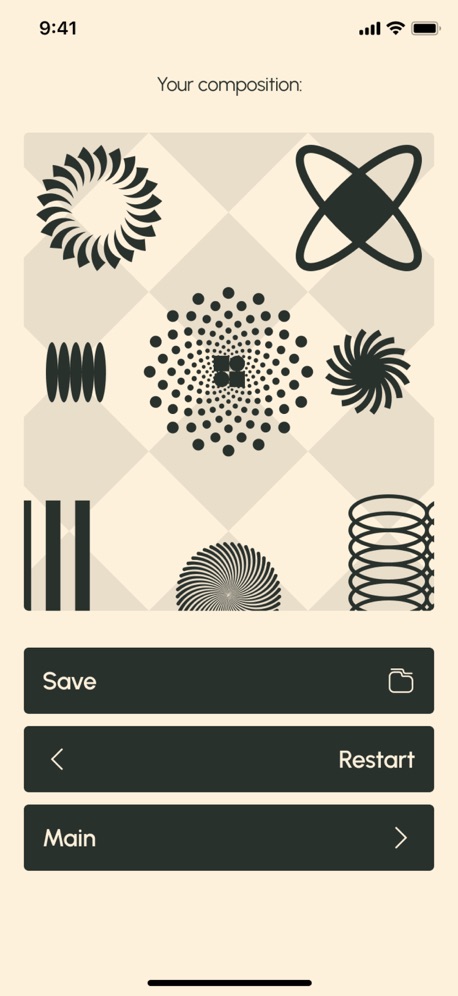
Final Screen
At the end, the user sees the result:
either a single visual composition assembled from all decisions,
or a sequence of steps—a visual history of their own choices.
This could be an abstract painting, a symbolic structure, or a set of shapes reflecting a path.
Here, a single active button appears—Restart.
Start over. Do it differently. Or... do it again.
Decision Trace Screen
A separate tab—a map of the path taken.
A vertical scrollbar with a grid of images—recorded the user's decisions.
Each element is a snapshot of a moment that can no longer be changed.
This screen turns the gameplay into an archive of personal choices.
You can see how often you lean toward light or dark, toward form or emptiness, toward forward or sideways direction.
It's a quiet visual diary of decisions.
Settings Screen
The settings remain minimalist, but allow you to customize the experience:
Haptic Feedback — On / Off
A subtle haptic feedback when making a selection enhances the sense of irreversibility.
Transition Speed — Slow / Normal
Slow mode makes choosing a more meditative experience, while Normal mode makes it more intuitive and impulsive.
Visual Style — Minimal / Soft Contrast
A stark monochrome or soft contrast with subtle color accents.
Reset Session
Completely reset the current path.
Privacy & Terms
Manage notifications and transparent privacy settings.
Privacy Policy: https://doc-hosting.flycricket.io/the-decision-one-choice-privacy-policy/036bd665-427a-4984-ad81-d377bc4e62a6/privacy
Term of Use: https://doc-hosting.flycricket.io/the-decision-one-choice-terms-of-use/5ae62e4e-3ac1-4e94-8aed-3e49e7ce4221/terms
Screenshots



Scroll to see more screenshots
Ranking History
Performance Trends
Collecting performance data...
Recent Reviews
Collecting reviews...
SDK Intelligence
Analyzing SDK usage...
Top Competitors


App Details
- Size
- 19.1 MB
- Requires
- 14.5
- Content Rating
- 4+
- Release Date
- Aug 1, 2026
Version History
v1.0.0 Latest
Aug 1, 2026
Want More Insights?
Get full access to downloads, revenue, keywords, and competitor data.
Start Free TrialNo credit card required