Top Apps Top Developers Pricing Blog Niche Finder
KORG EZ Rec

KORG EZ Rec

iOS

by KORG INC.

Music
0.0 (0 ratings)
Free

Est. Downloads

-

Est. Revenue

-

Last Updated

Feb 25, 2025

Version

1.1.0

About KORG EZ Rec

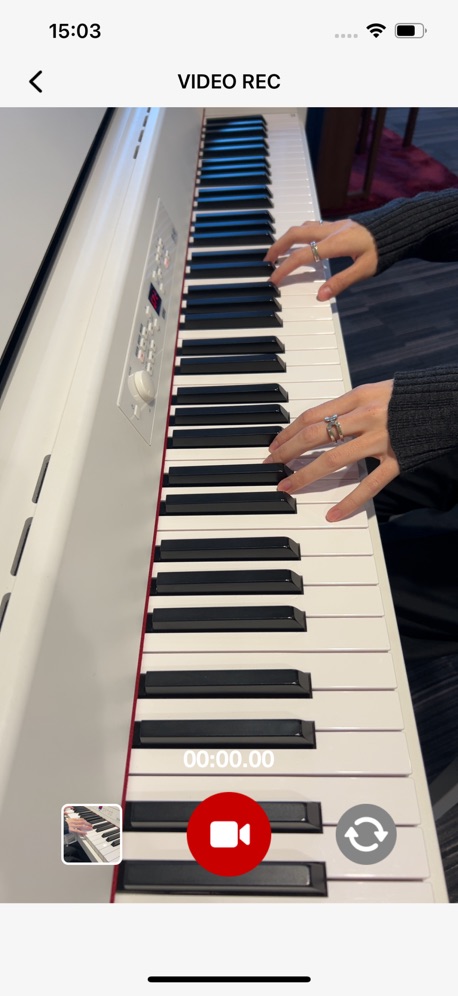
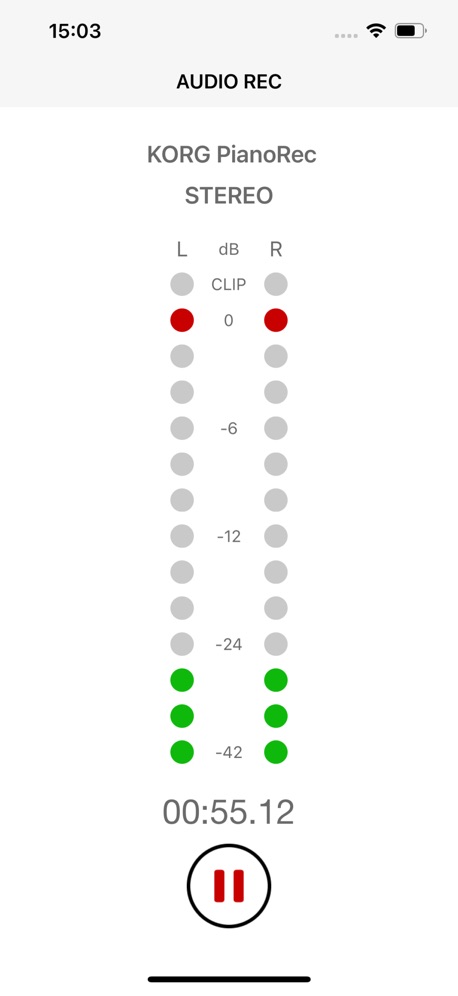
Capture your music, your way. EZ Rec makes recording easy. 1.Pair with KORG PianoRec to easily and intuitively record piano performances on your iPhone. 2.Record video and audio with ease. No more switching between apps. 3.Add the finishing touches to your recordings with the simple editing tools in EZ Rec, then share them or save them to your camera roll. 4.No annoying ads! Have a fun, stress-free recording experience. Important notes - For iPhones with a Lightning connector, an Apple Lightning to USB 3 Camera Adapter is required for use with PianoRec. - It may take a few seconds for EZ Rec to recognize PianoRec after connecting to your iPhone. If it is not recognized after a few seconds, please check the connection. - EZ Rec can also be used with the built-in microphone, but all recorded audio will be mono instead of stereo. - For instructions on connecting to PianoRec, please refer to the "How to connect with PianoRec" screen in EZ Rec.

Screenshots

Screenshot
Screenshot
Screenshot
Screenshot
Screenshot
Screenshot
Screenshot
Screenshot

Scroll to see more screenshots

Performance Trends

Collecting performance data...

Recent Reviews

Collecting reviews...

SDK Intelligence

Analyzing SDK usage...

App Details

Size
5.8 MB
Requires
16.6
Content Rating
4+
Release Date
Dec 12, 2024

Version History

v1.1.0 Latest

Feb 25, 2025

- Fixed an issue where a recorded file deleted from the Files app immediately after recording with EZ Rec would still appear in the file list when returning to EZ Rec. Deleted files will no longer be displayed in the list. - Fixed an issue where recordings shorter than one second would still allow access to the playback and editing screen via the thumbnail, even though they were not actually saved. - Fixed an issue where playback could stop when skipping forward by 5 seconds multiple times on the AUDIO PLAY or editing screen. - Fixed an issue where exiting the app while saving edited video or audio data could create corrupted files. - Minor bug fixes and improvements.

Want More Insights?

Get full access to downloads, revenue, keywords, and competitor data.

Start Free Trial

No credit card required